PSA: Check Your Upgrade History Before AOS 7.5.1
Overview
You read the release notes cover to cover before every upgrade, right?
This one almost caught me. I was prepping a cluster for an upgrade to AOS 7.5.1 when a known issue in the release notes gave me pause. A quick look at the upgrade history confirmed the cluster was squarely in the affected population, and the upgrade plan changed on the spot. That is the moment that prompted this post.
If you manage a Nutanix cluster that has been around for a while, this is a quick heads up worth a few minutes of your time. The AOS 7.5.1 release notes call out a known issue that can cause Stargate instability after upgrading, and it specifically targets clusters with a long upgrade history. If your cluster has been racking up version after version going back to before AOS 6.8, you will want to pause and check before you run that upgrade.
This post is a short PSA, not a deep technical dive. The full verification steps and the workaround are in the KB itself, which is the best place to read them. KBs get refined over time as engineering learns more, so the version on the portal will always be more current than anything I could capture here. My goal here is to make sure you do not miss the call out before kicking off your next upgrade window, and to give you the one quick check you can run to know whether it applies to your cluster.
What the Release Notes Are Calling Out
Tucked into the Known Issues section of the AOS 7.5.1 release notes, under Infrastructure and Services, is this line:
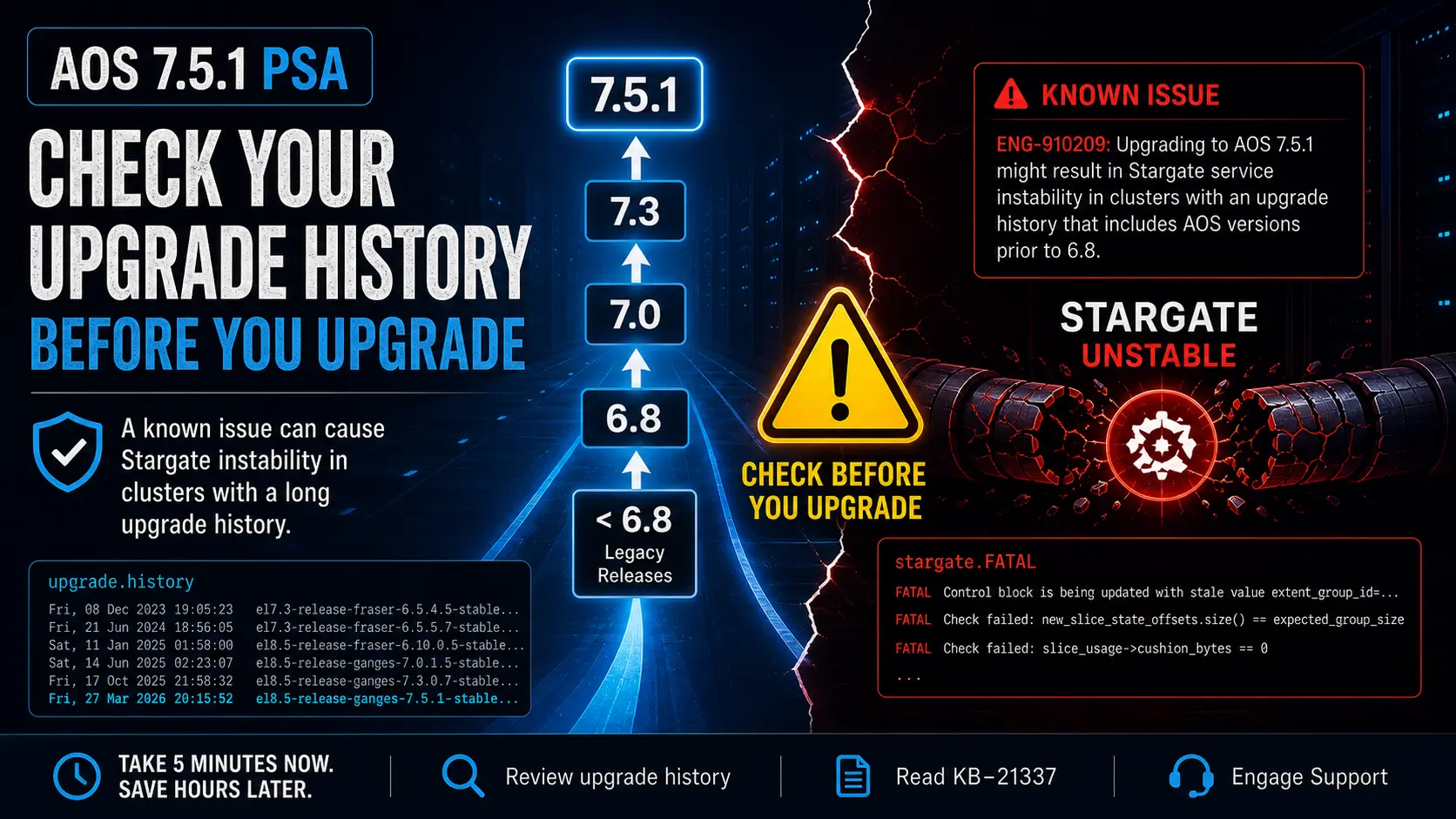
ENG-910209: Upgrading to AOS 7.5.1 might result in Stargate service instability in clusters with an upgrade history that includes AOS versions prior to 6.8.
That maps to KB-21337 on the Nutanix Support portal (login required). The short version: clusters that have been upgraded over time, going back to AOS releases older than 6.8, can run into a rare condition during the rolling upgrade to 7.5.1.x that leaves Stargate in a crash loop after the upgrade completes.
If that lands on your cluster, it is not a small problem. Stargate is the data path for guest workloads, and a Stargate crash loop is a real availability event, not a minor blip. Worth a few minutes of due diligence up front.
Who This Actually Applies To
Nutanix is specific about which upgrade paths are exposed to this and which are not. A few things worth keeping in mind:
- The cluster history matters, not just the current version. What counts is whether the cluster ever ran an AOS version older than 6.8 at any point in its lifetime, even if it is sitting on a much more recent release today.
- The exposed path is older releases going directly to 7.5.1.x. Per the KB, upgrades to 7.5.0.x are not impacted, and clusters that have already passed cleanly through AOS 7.3.1 or any 7.5.x release are no longer susceptible.
- This is the kind of issue that hits the long lived clusters first. Newer clusters that were stood up on 6.8 or later are not in scope.
In practical terms, this is a call out for clusters with a long lineage that are planning to jump directly from older releases into 7.5.1.x.
How to Check Your Cluster
There are two checks worth knowing. The first tells you whether the issue could apply to your cluster before you upgrade. The second tells you whether the issue has already shown up in logs after an upgrade.
Review the Upgrade History
AOS keeps a record of every version a cluster has run in /home/nutanix/config/upgrade.history. From any CVM, you can pull the history across the whole cluster with a single command:
1nutanix@CVM$ allssh cat ~/config/upgrade.history
You will get back a timestamped list of every AOS version that has been on the cluster. Here is an example from the KB:
1Fri, 08 Dec 2023 19:05:23 el7.3-release-fraser-6.5.4.5-stable... - LTS
2Fri, 21 Jun 2024 18:56:05 el7.3-release-fraser-6.5.5.7-stable... - LTS
3Sat, 11 Jan 2025 01:58:00 el8.5-release-fraser-6.10.0.5-stable... - LTS
4Sat, 14 Jun 2025 02:23:07 el8.5-release-ganges-7.0.1.5-stable...
5Fri, 17 Oct 2025 21:58:32 el8.5-release-ganges-7.3.0.7-stable...
6Fri, 27 Mar 2026 20:15:52 el8.5-release-ganges-7.5.1-stable...
In this example, the cluster started life on AOS 6.5.4.5, well before 6.8, which puts it squarely in the susceptible population. If you see any release older than 6.8 anywhere in your output, the call out in the release notes applies to your cluster.
Check the Stargate Logs
If you have already moved to AOS 7.5.1.x, the other check is to look for the FATAL signatures the KB calls out in /home/nutanix/data/logs/stargate.FATAL. Any of the following lines indicate the issue has been hit:
1Control block is being updated with stale value extent_group_id=...
2Check failed: new_slice_state_offsets.size() == expected_group_size
3Check failed: slice_usage->cushion_bytes == 0
If any of those show up after a 7.5.1.x upgrade, the cluster has run into this issue and you need to engage Support. The KB has the exact zgrep commands to scan FATAL and historical INFO logs across all CVMs.
What to Do Next
- Read KB-21337 on the Nutanix Support portal. The KB is the source of truth for the full set of verification commands and the workaround, and it is where Nutanix will update guidance as engineering learns more or ships a fix. It is gated behind a Support login, but if you are running AOS, you already have access.
- Engage Nutanix Support proactively if you need to upgrade soon. The KB is clear that if a proactive workaround is needed for an immediate upgrade, opening a case with Support before starting is the right move. That gives you a documented record tied to your cluster and the right people in the loop if anything goes sideways.
Final Thought
Most clusters will not hit this. Nutanix is calling it a rare sequence of events, and the upgrade paths that expose it are narrow. The reason it is worth flagging is the population it affects. Long lived clusters that have served a customer well for years are the ones most likely to have an upgrade history that goes back that far, and those are the clusters where an unplanned Stargate event is the last thing anyone wants.
A five minute review of upgrade history is cheap insurance. Take the time, check the KB, and plan accordingly.
Beyond this specific bug, this is a good reminder of why the Known Issues section of the release notes deserves the same attention you give to the Fixes and Improvements list. Most known issues will not apply to you, and plenty of them are minor. Some, like this one, are cluster impacting if they land. Always double check before you upgrade, no matter how routine the path looks.
If you are working through an AOS 7.5.1 upgrade and want to compare notes, I would love to hear from you. Connect with me on LinkedIn or drop a note at mike@mikedent.io.