A Practical Look at Nutanix MST for Disaster Recovery
Overview
I have been recently revisiting Nutanix Multicloud Snapshot Technology, aka MST. What prompted the fresh look was the Instant Restore capability that shipped with Prism Central 7.5.1. When a feature fundamentally changes the recovery time story for an entire DR approach, it is worth going back and re-evaluating the technology as a whole. I will get to what started all this - Instant Restore - in a follow-up post, but first I want to walk through what MST actually is, what it supports, and why it deserves a closer look if you have not evaluated it recently.
I will be honest: MST represents a bit of a shift in how I think about disaster recovery. We have been shipping backups to archive storage in the public cloud for years, so the idea of offloading data to cheap cloud object storage is not new. What is different here is applying that same model to VM snapshots in a way that enables actual recovery, not just data retention. That distinction is what makes MST interesting to me, and it is something I am still working through as I dig deeper into how it fits alongside more traditional DR approaches.
What Is Multicloud Snapshot Technology?
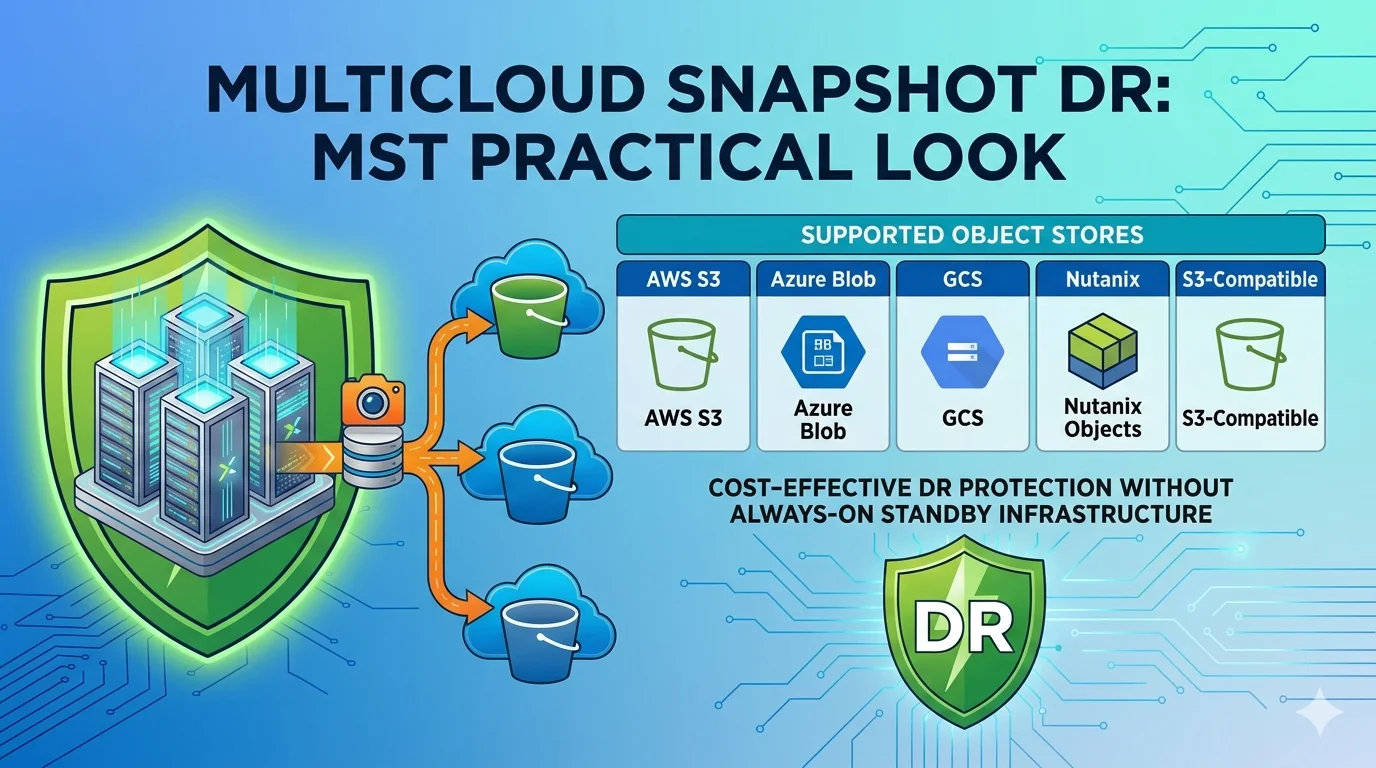
Multicloud Snapshot Technology (MST) is a Nutanix disaster recovery capability that replicates VM and Volume Group snapshots from an on-premises AHV cluster to any S3-compatible object storage. Rather than replicating to a second Nutanix cluster (which is how traditional AOS-to-AOS replication works), MST targets cost-effective object storage as the recovery destination: whether that is a public cloud provider like AWS or Azure, or an on-premises platform like Nutanix Objects. The snapshots sit in object storage until you need them, and when you do, you restore workloads either through a Nutanix Cloud Clusters (NC2) instance in the cloud or back to on-premises infrastructure, depending on where your recovery target lives.
It is worth noting that object storage is fundamentally different from the block or file storage you are likely running workloads on today. Object storage is not designed for random read/write access; it is designed for durability and scale at low cost. That makes it well-suited for holding snapshots that sit idle until a recovery event, but it also means VMs cannot run directly from it. MST is built around this tradeoff, using object storage for what it is good at and relying on a compute target to do the actual recovery.
The value proposition is straightforward: you get offsite DR protection without maintaining a second always-on cluster. For organizations that cannot justify the cost of a full standby infrastructure, MST can make disaster recovery accessible at a fraction of the traditional price point.
MST runs as a service deployed from the Prism Central Marketplace. It operates on top of SMSP (Service Microservices Platform) and integrates directly into Prism Central's protection policy framework, so managing it feels familiar if you have worked with Nutanix DR before.
When deploying MST, you select an instance size based on your environment's scale. The two available sizes are:
Small
- 2,000 entities
- 75 recovery points per entity
- 300 TB of live data
- 4 VMs (3 SMSP VMs + 1 load balancer)
- 32 vCPU, 76 GiB RAM
Medium
- 5,000 entities
- 100 recovery points per entity
- 1 PB of live data
- 6 VMs (5 SMSP VMs + 1 load balancer)
- 52 vCPU, 124 GiB RAM
Storage for both sizes is provisioned on demand rather than pre-allocated, which keeps the initial footprint predictable.
Supported Object Stores
One of the strengths of MST is the breadth of storage targets it supports. You are not locked into a single cloud provider. The supported object stores include:
- AWS S3: the most common target. Configuration involves creating an S3 bucket, setting up an IAM user with the appropriate permissions, and providing the access key and secret key during MST setup.
- Azure Blob Storage: works through Azure storage accounts with Blob service. You will need the storage account name and access key, and the container is created during the MST configuration process.
- Google Cloud Storage (GCS): uses HMAC keys tied to a service account for authentication. The setup involves creating the GCS bucket, generating HMAC credentials, and providing those during deployment.
- Nutanix Objects: Nutanix's own S3-compatible object storage platform. If you are already running Objects on-premises, this gives you an air-gapped DR option that keeps data entirely within your own infrastructure.
- S3-Compatible Storage: covers any object store that implements the S3 API, opening the door to providers like MinIO, Wasabi, or other compatible platforms.
The flexibility here matters. It means MST fits into environments that have already standardized on a particular cloud provider and environments where multi-cloud is the strategy.
What to Know Before You Deploy
A few things worth knowing before you commit. MST currently supports AHV only; ESXi clusters are not supported. Refer to the sizing details above for entity and data capacity by deployment size.
Replication is asynchronous with a lowest available RPO of 1 hour for MST-protected workloads, and the supported retention count is 75 snapshots with roll-up schedules that can cover up to 29 years. When configuring protection policies, keep in mind that you can only select a single on-premises cluster as the source in the primary location.
Post-Failover Protection
One nuance that is easy to miss: object storage can only store snapshots, not run VMs. That means MST-protected workloads replicated to a bucket have a unidirectional schedule. If you need reverse protection after failover (and you should), you will want to set up a composite protection rule that defines replication from the recovery cluster (whether that is an NC2 instance in the cloud or an on-premises AHV cluster) back to the bucket through MST. Nutanix strongly recommends this to ensure continued protection after failover.
Where MST Fits in Your DR Strategy
MST is not a replacement for traditional AOS-to-AOS replication. It is a complement to it. For organizations that need sub-minute RPO with synchronous or NearSync replication between two on-premises clusters, that remains the right answer. MST fills a different gap: affordable, cloud-based DR for workloads that need offsite protection but do not justify the cost of a full standby site.
The technology adapts to whatever cloud strategy your organization has already committed to, and with five supported storage backends, you have options regardless of your cloud provider.
Stay tuned for more posts in this series as I continue to dig into MST, including the Instant Restore feature that started it all.
Evaluating MST for your DR strategy or curious how it fits alongside your existing Nutanix replication setup? I'd love to hear how you're approaching it. Connect with me on LinkedIn or reach out at mike@mikedent.io.