PSA: Patch vCenter for VMSA-2026-0009 Auth Bypass
Overview
Broadcom published VMSA-2026-0009 on November 19, 2026, and the headline item is a vCenter authentication bypass rated CVSS 9.8. If you run vCenter in any form, this one belongs at the top of your change queue.
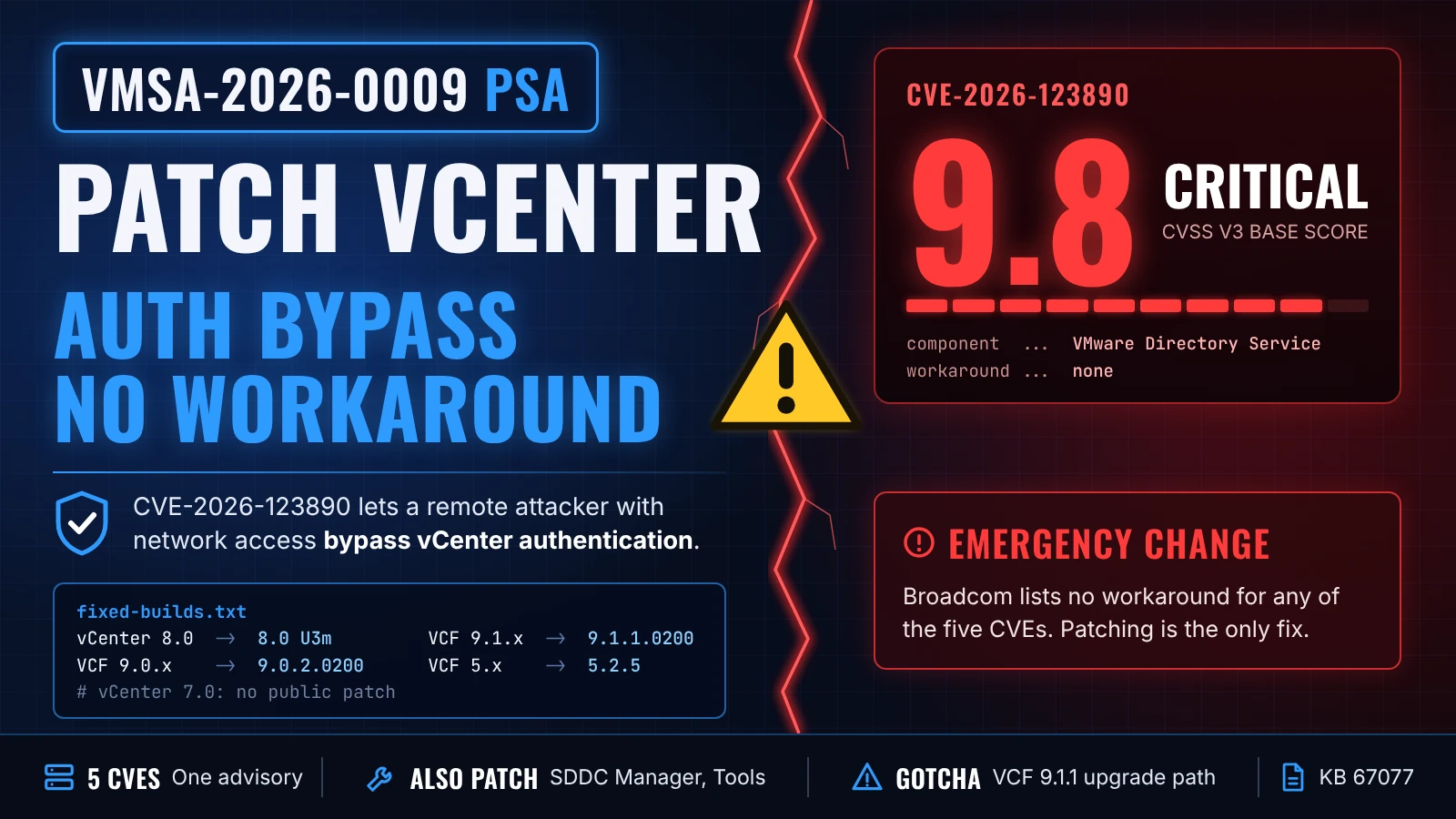
The short version: VMSA-2026-0009 covers five CVEs across vCenter, SDDC Manager and VMware Tools for Windows. The critical one, CVE-2026-123890, lets a remote attacker with network access to vCenter bypass authentication through the VMware Directory Service. Broadcom lists no workaround. The fix is to patch vCenter to 8.0 U3m, 9.0.2.0200 or 9.1.1.0200, depending on your release.
Key takeaways
- CVE-2026-123890 is a CVSS 9.8 authentication bypass in vCenter, and network access to vCenter is the only stated prerequisite.
- No workaround exists for any of the five CVEs. Patching is the only fix.
- vCenter 7.0 has no public patch. vSphere 6.5 and 6.7 were not evaluated and should be presumed affected.
- ESX, NSX, VCF Operations and VCF Automation are not affected, and none of the five CVEs is a VM escape.
- vCenter 8.0 U3m and 9.0.2.0200 block a later upgrade to VCF 9.1.1 until VCF 9.1.2 ships.
Everything in this post reflects the advisory and Broadcom's FAQ as of November 19, 2026. Broadcom treats the VMSA as the source of truth for versions, so check it again before you schedule the change.
What VMSA-2026-0009 fixes
VMSA-2026-0009 is a Critical-rated Broadcom security advisory covering five vulnerabilities with CVSS v3 scores from 6.7 to 9.8.
| CVE | Component | Issue | CVSS | Fixed in |
|---|---|---|---|---|
| CVE-2026-123890 | vCenter (VMware Directory Service) | Authentication bypass | 9.8 | 8.0 U3m, 9.0.2.0200, 9.1.1.0200, VCF 5.2.5 |
| CVE-2026-123891 | SDDC Manager | SQL injection | 8.1 | 9.0.2.0100, 9.1.1.0200, VCF 5.2.5 |
| CVE-2026-123892 | SDDC Manager | Authenticated command injection | 7.2 | 9.0.2.0100, 9.1.1.0200, VCF 5.2.5 |
| CVE-2026-123893 | SDDC Manager and VCF Installer | Local privilege escalation to root | 6.7 | 9.0.2.0100, 9.1.1.0200, VCF 5.2.5 |
| CVE-2026-123894 | VMware Tools for Windows | SAML token signature bypass | 6.7 | Tools 13.1.5.0, 12.5.5 |
Neither the advisory nor the FAQ says whether any of these CVEs is being exploited in the wild. Broadcom's FAQ does call the vCenter issue an emergency change in ITIL terms, and that is the right way to treat it.
Which vCenter versions are affected
Every vCenter build earlier than the fixed versions is affected by CVE-2026-123890, whether it runs standalone, in vSphere Foundation or inside VCF.
- vCenter 8.0: patch to 8.0 U3m.
- VCF and vSphere Foundation 9.0.x: patch vCenter to 9.0.2.0200.
- VCF and vSphere Foundation 9.1.x: patch to 9.1.1.0200.
- VCF 5.x: move to 5.2.5 using the asynchronous patching process in KB 88287.
- vCenter 7.0: no public fix. vSphere 7.0 reached End of General Support on October 2, 2025, so a patch requires an extended support contract and a call to Broadcom Support.
- vSphere 6.5 and 6.7: not evaluated, presumed affected.
- Telco Cloud Platform and Telco Cloud Infrastructure: follow KB463116.
Running vCenter without Enhanced Linked Mode does not make you safe. Broadcom's FAQ says to update vCenter regardless.
How to patch vCenter for VMSA-2026-0009
The vCenter patch installs through the VAMI like any standard update, and running VMs stay up while it applies.
Confirm your current build on the vCenter Summary tab, or from PowerCLI:
1$global:DefaultVIServer | Select-Object Name, Version, BuildCheck the Broadcom Interoperability Matrix for the target vCenter build against your ESX and vSAN versions.
Take a file-based backup of vCenter, plus a snapshot if that is your normal practice.
Apply the update through the VAMI on port 5480. vCenter Quick Patch is not available for these builds, so plan for a management-plane outage.
Verify the new build number and confirm vCenter services are healthy.
While vCenter is offline, the vSphere Client and anything that depends on vCenter are unavailable. New encryption operations and key rotation that depend on a KMS also wait until vCenter is back.
Check your upgrade path before patching to 8.0 U3m or 9.0.2.0200
vCenter 8.0 U3m and 9.0.2.0200 block upgrades to VCF 9.1.1. Broadcom says the path reopens in VCF 9.1.2, and KB 67077 has the matrix.
Patching is still the right call. If you are in the middle of a move to VCF 9.1.1, though, decide now whether to take vCenter straight to 9.1.1.0200 or patch in place and wait for 9.1.2.
Don't stop at vCenter: SDDC Manager and VMware Tools
SDDC Manager and VMware Tools for Windows carry lower scores than the vCenter bug, but they also have no workaround.
SDDC Manager needs 9.0.2.0100, 9.1.1.0200 or VCF 5.2.5. All three SDDC Manager CVEs require an authenticated or administrative attacker, which is why they score lower.
VMware Tools for Windows needs 13.1.5.0 for the 13.x line and 12.5.5 for 12.x and 11.x. On 32-bit Windows, Tools 12.4.10 ships inside the 12.5.5 release and carries the fix. The Tools bug needs a Windows guest with a guest alias mapping, and the escalation stays inside the guest.
Disabling guest operations does not mitigate the Tools issue, and stopping or uninstalling Tools is not a workaround. To find Windows VMs that need the update:
1Get-VM | Where-Object { $_.Guest.OSFullName -match 'Windows' } |
2  Select-Object Name, @{N='ToolsVersion';E={$_.Guest.ToolsVersion}} |
3  Sort-Object ToolsVersion
To see whether a guest has aliases configured, run VGAuthCLI.exe list inside the VM.
If you run an engineered system such as Dell VxRail or HPE SimpliVity, wait for that vendor's guidance instead of patching vCenter by hand.
Patch vCenter first, then work down the list
VMSA-2026-0009 is a patch-now advisory for vCenter and a patch-soon advisory for SDDC Manager and Windows VMware Tools. An unauthenticated bypass on the management plane with no workaround does not leave room for the next maintenance window.
A bug like this is also a good prompt to confirm you can rebuild or recover vCenter itself. My Nutanix Disaster Recovery series covers how I approach recovery planning.
Have you already patched vCenter for VMSA-2026-0009, or are you waiting on a change window or your hardware vendor's guidance? I'd love to hear how you're handling it. Connect with me on LinkedIn or reach out at mike@mikedent.io.